
Kia EV6: Rear View Monitor (RVM): (if equipped) / Rear View Monitor operation
Kia EV6 2022-2026 Owner's Manual / Driver assistance system / Rear View Monitor (RVM): (if equipped) / Rear View Monitor operation
Contents:
Parking/View button
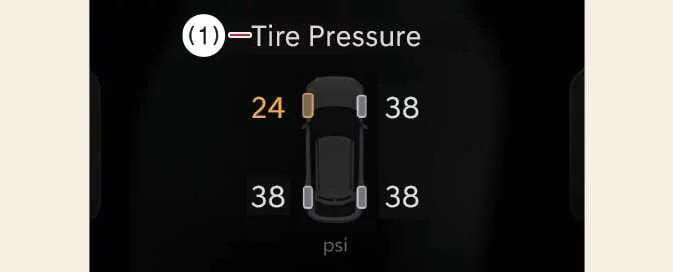
|
Press the Parking/View button (1) while the Kia EV6 gear selector is in P (Park), D (Drive), or N (Neutral) to turn the Rear View Monitor ON or OFF.
Rear view
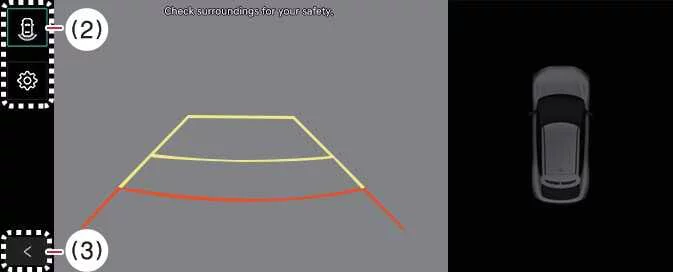
|
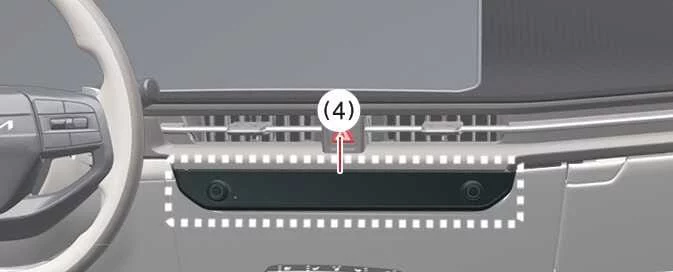
|


Other information:
Kia EV6 2022-2026 Owner's Manual: Ready indicator light (READY)
This indicator appears under the following conditions: When the Kia EV6 is fully powered on and ready to be driven. On: The Kia EV6 is operating normally and driving is possible. Off: The Kia EV6 is not ready for normal driving operation or a system-related issue has occurred. Blinking: Emergency driving operation may still be possible under limited conditions.Kia EV6 2022-2026 Owner's Manual: Navigation-based Smart Cruise Control limitations
Navigation-based Smart Cruise Control in the Kia EV6 may operate abnormally, pause unexpectedly, or provide delayed speed assistance under the following circumstances. Because this system depends on navigation data, GPS positioning, map accuracy, road recognition, and Smart Cruise Control operation, the driver must always monitor the road and remain ready to control speed manually.
Contents
Categories
- Manuals Home
- Kia EV6 Owners Manual
- Questions & Answers
- Video Guides
- Useful Resources
- New on site
- Most important about Kia EV6
- Privacy Policy

Copyright В© 2026 Kia EV6 Manuals вЏ± 0.0084