
Kia EV6: Surround View Monitor (SVM): (if equipped) / Surround View Monitor operation
Kia EV6 2022-2026 Owner's Manual / Driver assistance system / Surround View Monitor (SVM): (if equipped) / Surround View Monitor operation
Contents:
Parking/View button
|
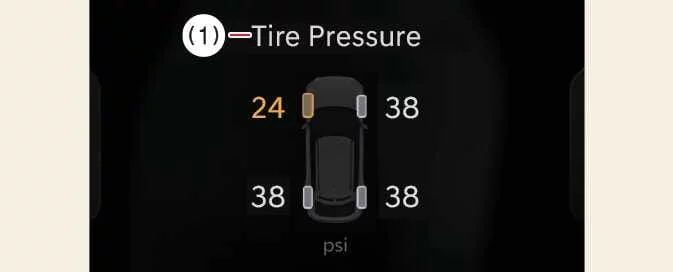
To turn the Kia EV6 Rear View Monitor ON, press the Parking/View button (1).
To turn the Rear View Monitor OFF, press the Parking/View button (1) again.
Front view
|
|
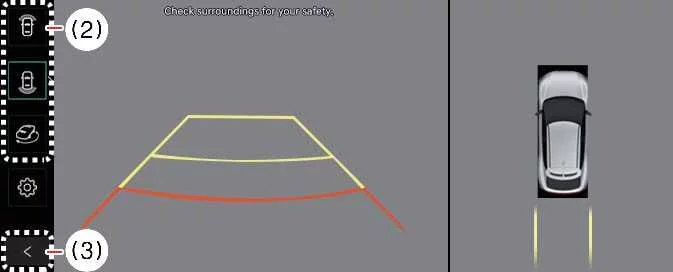
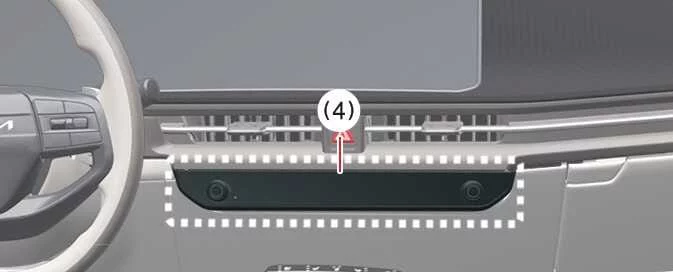
The Kia EV6 front view function displays the area in front of the vehicle on the infotainment screen according to the selected camera settings, helping improve visibility and assisting with safer parking and maneuvering.


Other information:
Kia EV6 2022-2026 Owner's Manual: Tire Pressure Monitoring System (TPMS)
The Tire Pressure Monitoring System (TPMS) continuously monitors the air pressure of the Kia EV6 tires and displays relevant information on the instrument cluster LCD display to help improve safety, tire life, and vehicle efficiency. Low tire pressure warning indicator / TPMS malfunction indicator Low tire pressure position indicator displayed on the Kia EV6 LCD instrument cluster Tire Pressure Indicator You can view current tire pressure information through the Assistance Mode screen on the Kia EV6 instrument cluster.Rear Cross-Traffic Collision-Avoidance Assist in the Kia EV6 is designed to detect vehicles approaching from the rear left or rear right side while reversing. The system warns the driver of a potential collision through visual alerts, warning messages, and audible notifications. In certain situations, the Kia EV6 RCCA system may also apply brake assistance automatically to help reduce the risk of a rear cross-traffic collision during parking maneuvers.
Contents
Categories
- Manuals Home
- Kia EV6 Owners Manual
- Questions & Answers
- Video Guides
- Useful Resources
- New on site
- Most important about Kia EV6
- Privacy Policy

Copyright В© 2026 Kia EV6 Manuals вЏ± 0.0085